


A few months ago, we introduced Appcharge Payment Links as the Apple vs. Epic ruling opened up new possibilities for iOS monetization. Since then, the mobile games industry has moved quickly. Publishers understand the opportunity, and they want in. But implementing this new flow isn’t trivial.
In our latest webinar, we sat down with Fanny Beili, our VP of Product, to go beyond the headlines and get into the details: what implementation really looks like, what top publishers are doing, and what best practices we’ve developed from hands-on experience in the trenches.
Watch the video or continue reading for edited highlights.
What Are Appcharge Payment Links?
Appcharge Payment Links are built to help publishers launch an external purchase flow that complies with Apple’s latest guidelines. Here’s how it works:
The player sees a new payment button inside the app
Tapping it redirects them to an external checkout page
That page is fully customizable: artwork, layout, offers, and payment methods
Publishers can A/B test different setups and optimize based on results
After checkout, the player is sent right back to the game to collect their items
This creates a new revenue channel outside the app store, while keeping the UX tight and tailored to your game.
The 3 Biggest Challenges Publishers Face
After working closely with leading publishers, we’ve seen the same three challenges crop up over and over:
1. Technical Implementation
Getting the flow up and running used to be a major lift. Not anymore. Our Payment Links product dramatically reduces the integration burden.
2. Business Strategy
Publishers need to explain the value of this new flow to players without hurting conversion. That means making smart decisions about design, messaging, and incentives.
3. Operational Complexity
This isn’t just a new button. It’s a new funnel. It only applies to iOS players in the US. It needs to be tracked, analyzed, and optimized without creating chaos.
What Top Apps Are Doing in the Wild
We analyzed how three major platforms approached their iOS payment link rollouts. Here’s what stood out:
Epic Games (Fortnite)
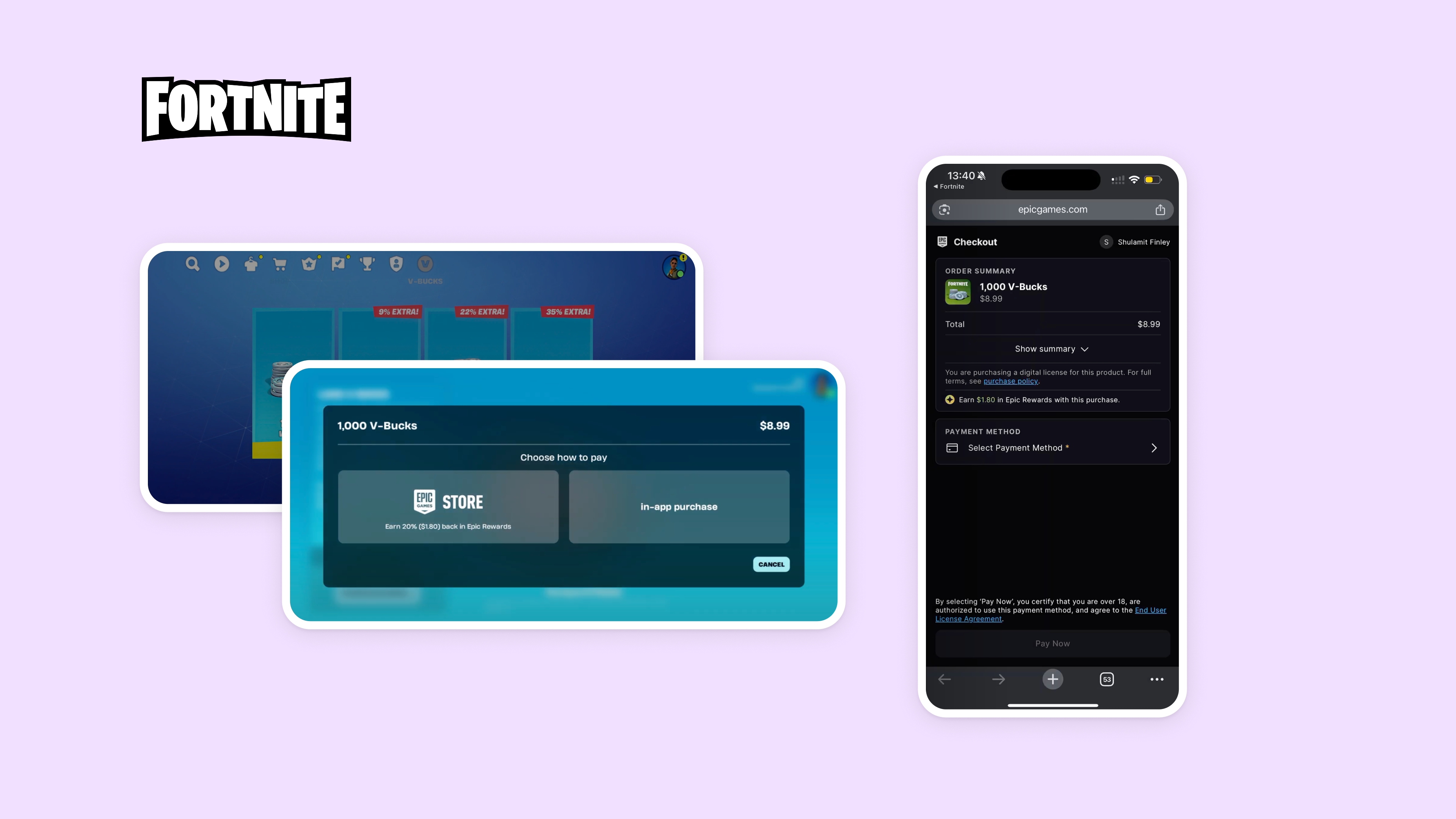
Popup offers two options: Apple IAP or Epic Store (with 20% bonus)
Same flow for all players, easy to monitor
Clear value proposition, but adds an extra step to a critical funnel
Patreon
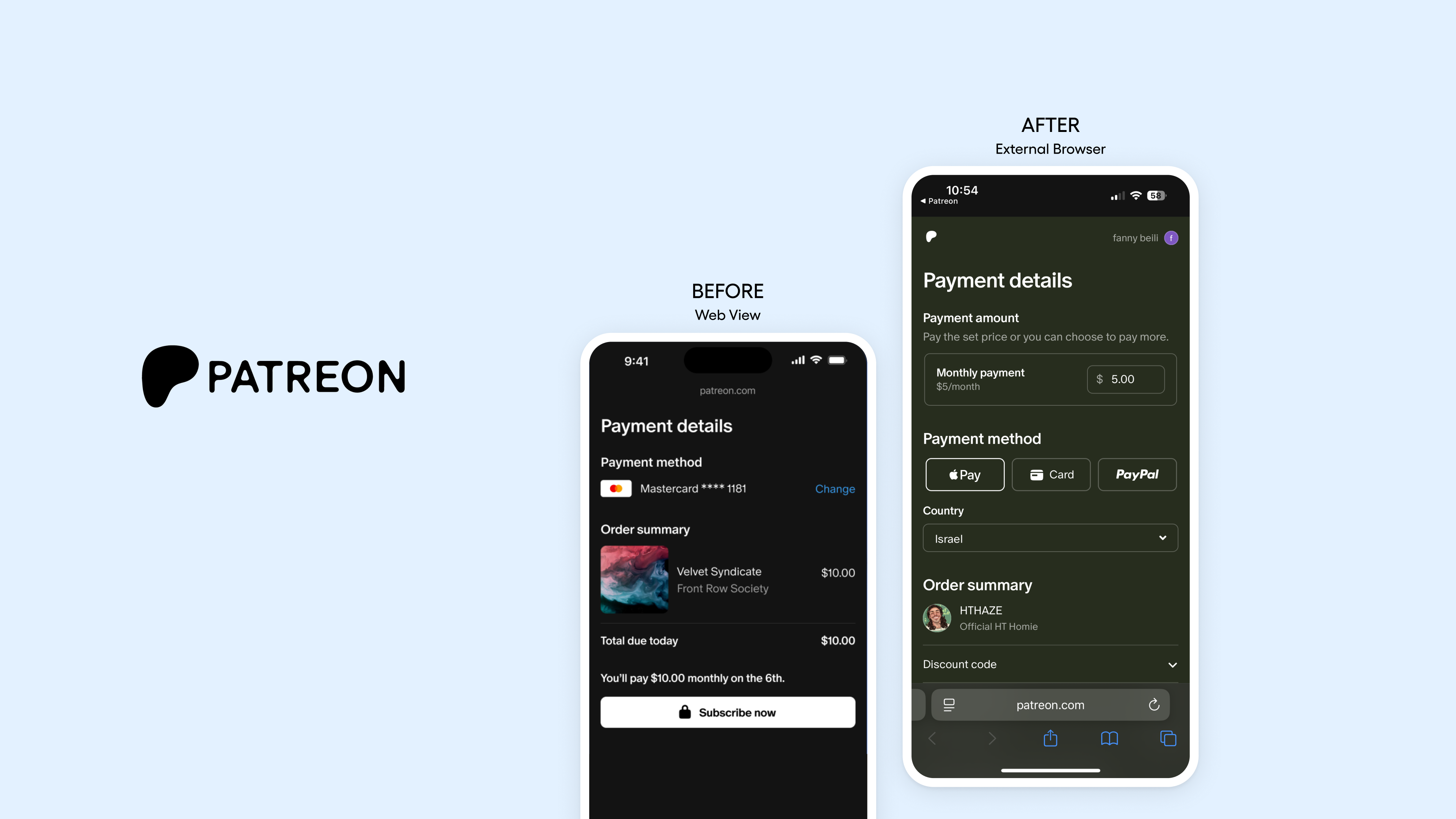
Default button routes users to external browser checkout
Apple IAP option still shown underneath
Initially launched with a WebView (prohibited), then switched after a warning from Apple
Spotify
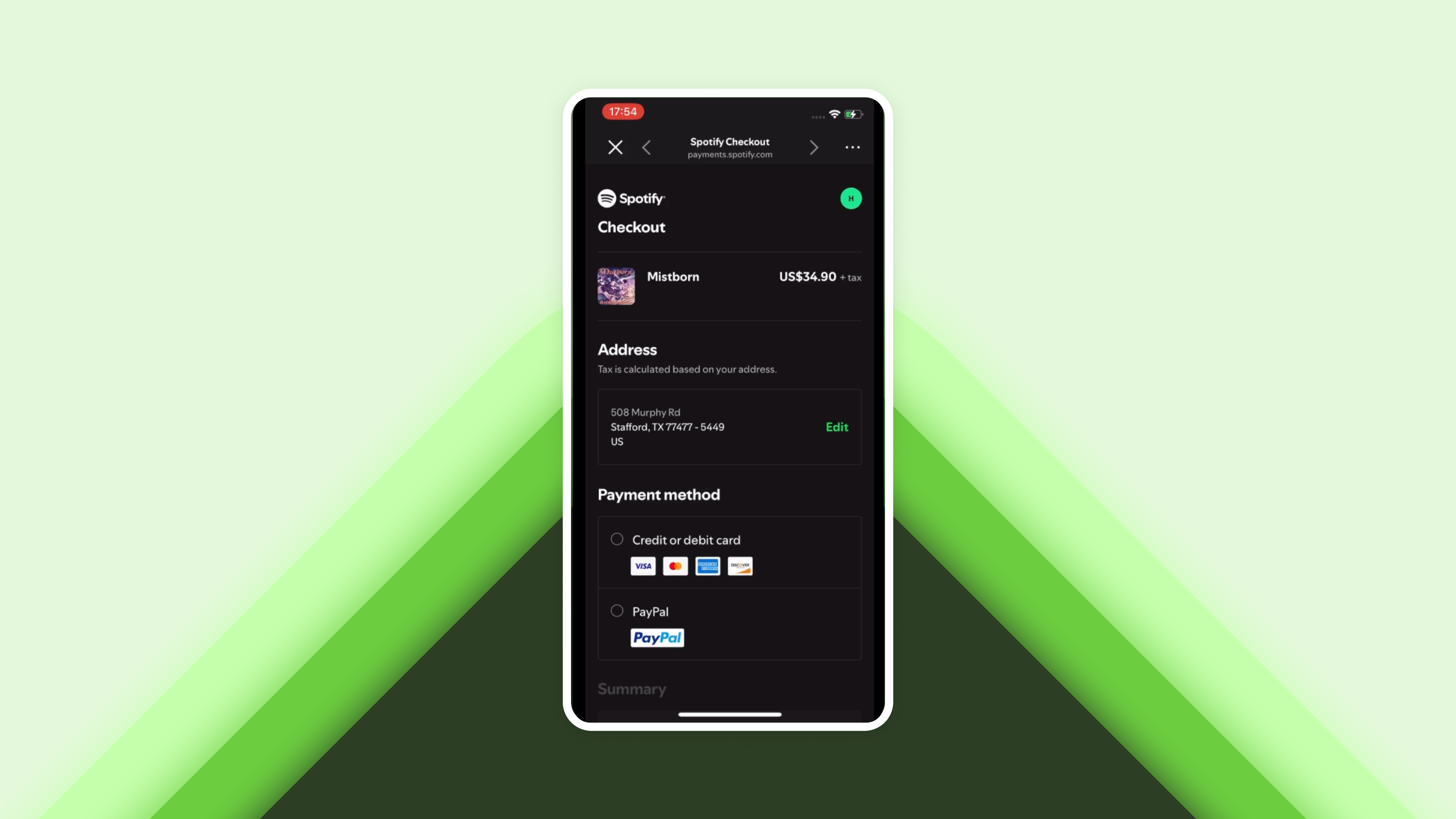
Announced their flow publicly in a detailed blog post
First used an external browser, then shifted to Safari View Controller (SVC)
SVC is technically allowed, but only if it meets Apple’s strict design guidelines
WebView vs SVC vs External Browser: What’s Allowed?
If you’re building a compliant flow, here’s what you need to know:
✅ External Browser
Safest, fully allowed under Apple’s new rules
Explicitly endorsed in Apple’s follow-up communication to Patreon
Appcharge supports this method out of the box
⚠️ Safari View Controller (SVC)
Allowed if you meet Apple’s UI/UX guidelines
Feels more native, but tread carefully, consult your legal team
🚫 WebView
Not allowed
Breaks Apple’s rules and disables some payment methods
Appcharge doesn’t support this method
Dos and Don’ts: What We’ve Learned
Do:
Clearly inform players they’re being redirected to a browser, using icons or clear text
Use an external browser unless you’re confident you meet SVC requirements
Customize the experience to feel familiar but fresh
Don’t:
Use WebView, even temporarily
Assume that just putting in a button is enough, you’ll need a real strategy to drive adoption
Best Practices: Segment Players, Then Customize the Flow
We recommend dividing players into two groups and treating them differently.
Segment 1: First-Time Payment Links Users

Goal: Build trust and highlight value
Recommended flow:
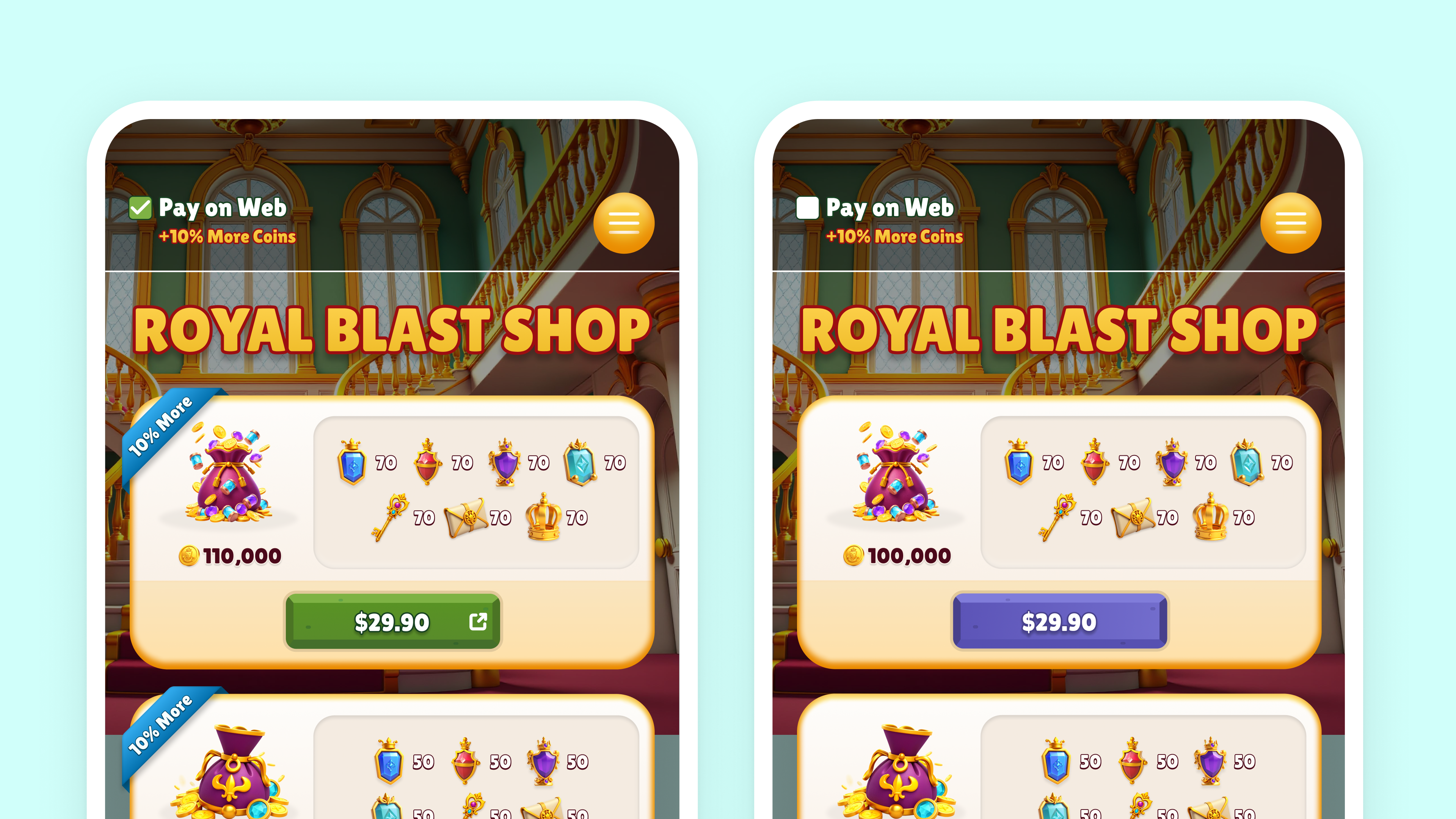
Show both Apple and web options
Use a popup to explain the benefit (bonus items, discounts, etc.)
Highlight the new design (icon, color, label) to signal change
This approach gives players choice while nudging them toward the better deal.
Segment 2: Returning Payment Links Users

Goal: Maximize repeat purchases
Recommended flow:
Now that trust is established, you can simplify. Options include:
Full switch – All pay buttons now go to Payment Links
Switch with opt-out – Default to Payment Links but allow opt-out via toggle
Popup (Epic-style) – Present both options again, but offer a smart default
Patreon-style flip – Payment Links as default, Apple IAP as fallback (less preferred)
Wrapping Up: Implement Smart, Grow Fast
This space is moving quickly, but real-world examples are helping us make sense of what works. At Appcharge, we’re learning in real time alongside our partners. We’re refining best practices, staying close to Apple’s evolving rules, and making sure you can launch new flows without breaking your funnel.
💬 Got questions about implementing Payment Links? Let’s talk.


